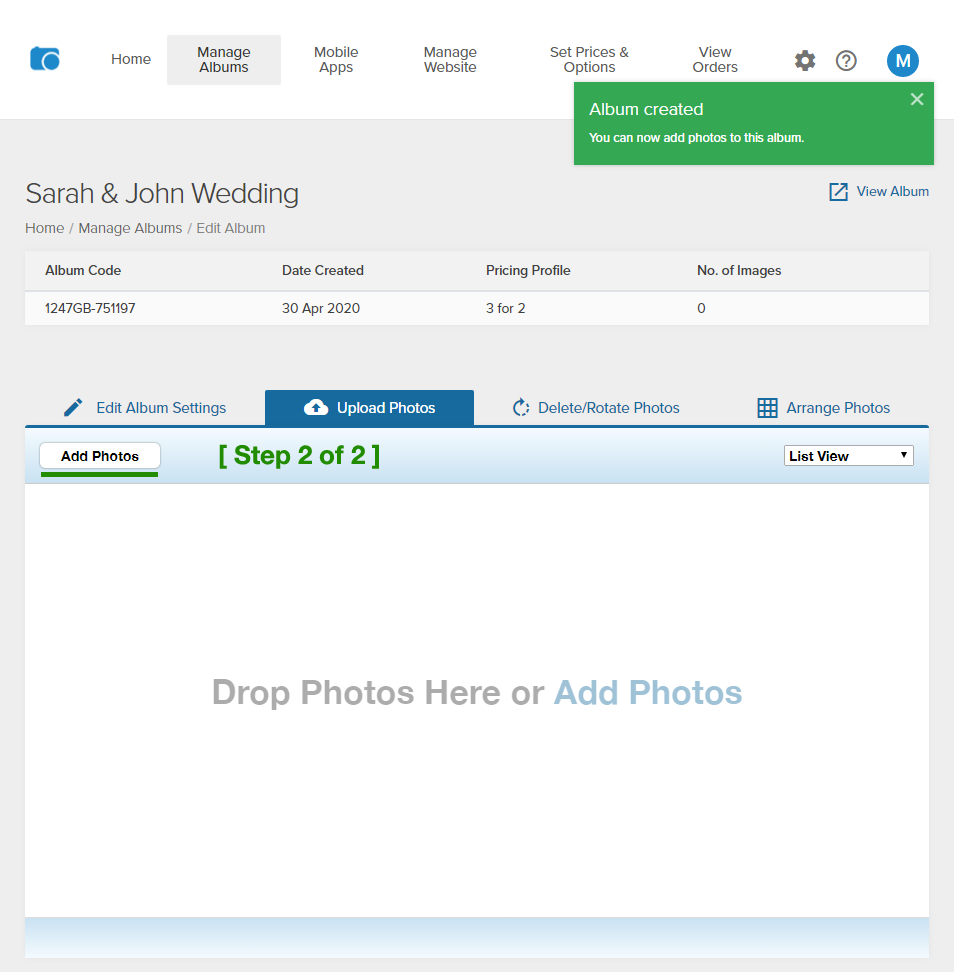
OnlinePictureProof makes it easy for you to upload all your pictures in a single click and you can start selling online in minutes...
How to upload an album:
1) Click on "Manage Albums"
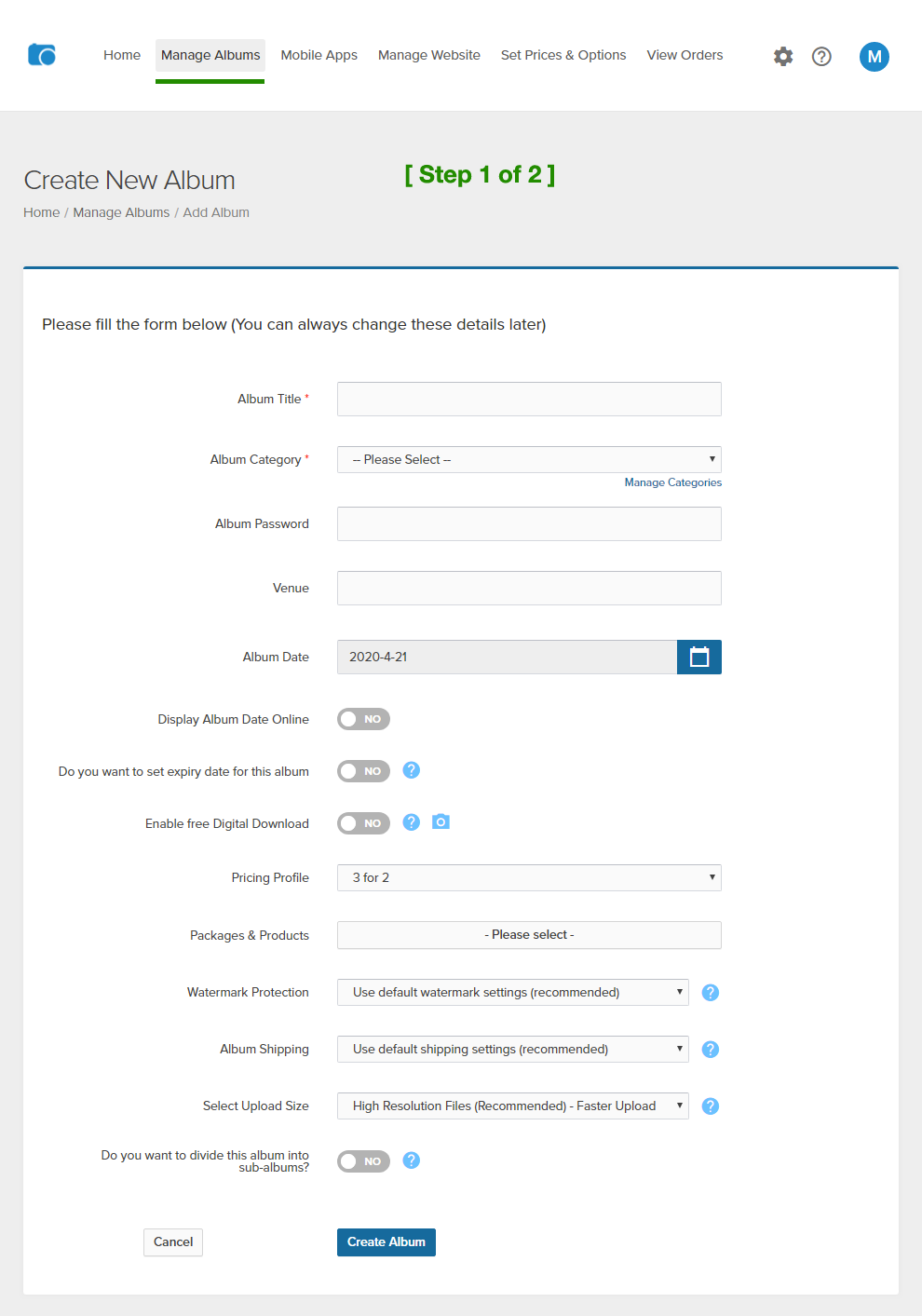
2) From Manage Albums page , follow the onscreen instructions to easily create a new album and upload your pictures in 2 easy steps.
See screen shots below:
Click on "Create Album" to go to Step 2 of 2 and to upload your pictures! (See screen shot below)
That's it! This will upload all your pictures in your album!
You can easily add or remove or arrange these pictures later by editing your album (click on "Manage Albums > Edit album"). Once you are happy with your pictures, simply click on "Set Online" button on "Manage Albums" page to make this album appear online on your website.