

You can easily link your own domain name with your OPP website. If your domain is registered with 1and1 IONOS please follow the steps below to link your domain with your OPP site.
Visit the Domains section and click on your domain name.
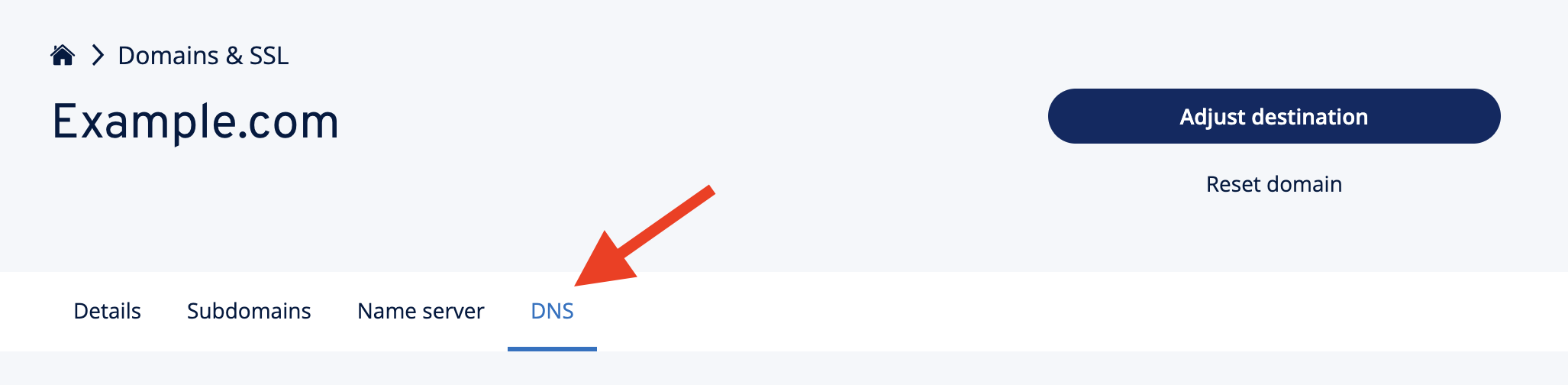
Next open the DNS settings tab as shown below.
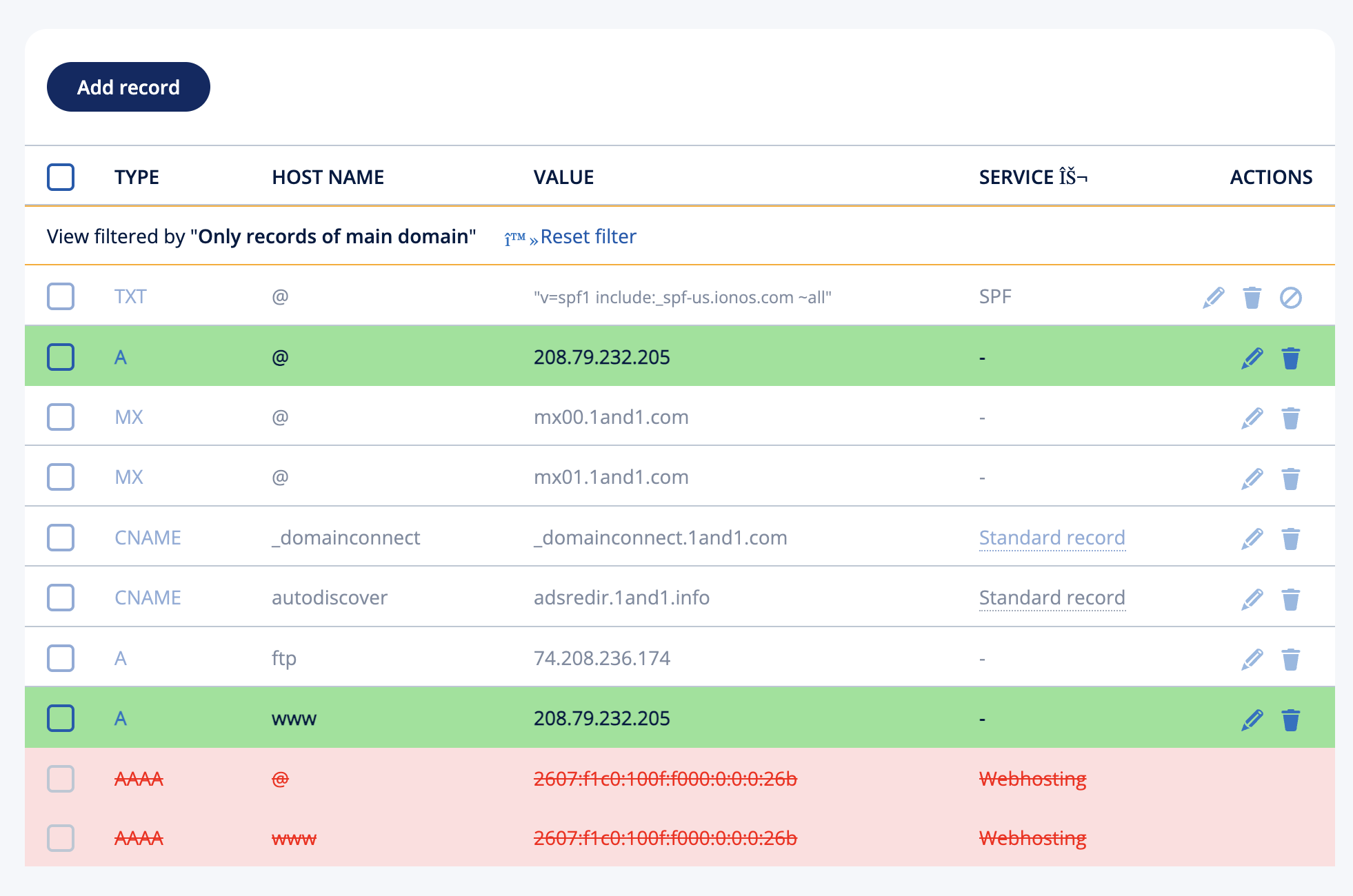
Adjust the DNS records as listed below.
Edit record TYPE "A" and Hostname "@". Change value to 208.79.232.205
Edit record TYPE "A" and Hostname "www". Change value to 208.79.232.205
Delete record Type "AAAA" and Hostname "@"
Delete record Type "AAAA" and Hostname "www"
Ignore any other records and leave as it is.
You can now logout from 1and1 control panel.
Login to your OnlinePictureProof control panel, click on “MY ACCOUNT” and make sure your domain name is entered in your profile.
Your domain name should now start working after 3 - 6 hours. You may need to restart your computer if you continue to see the old page.