

1. Login to your NameCheap account
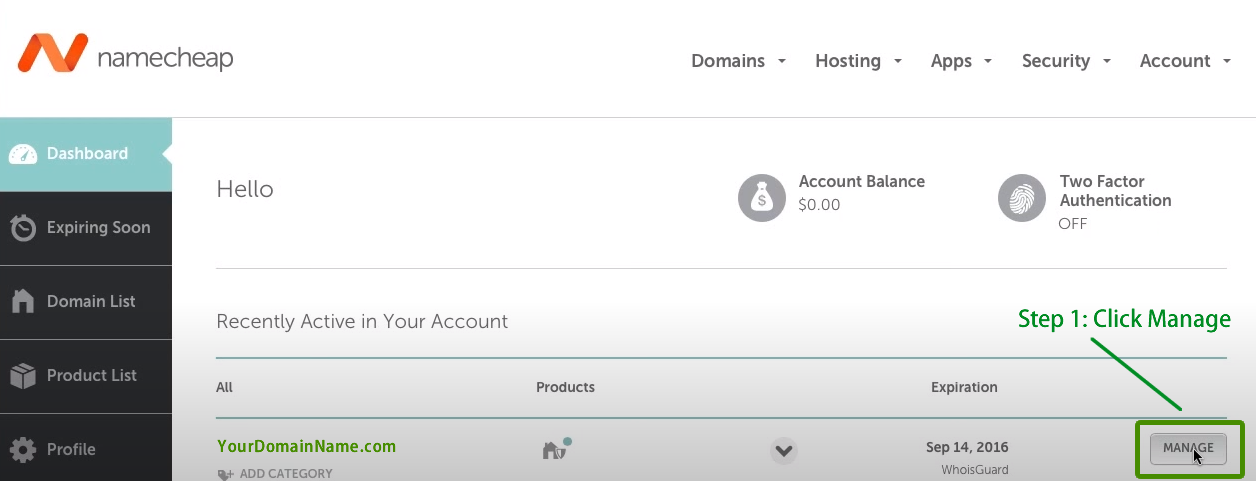
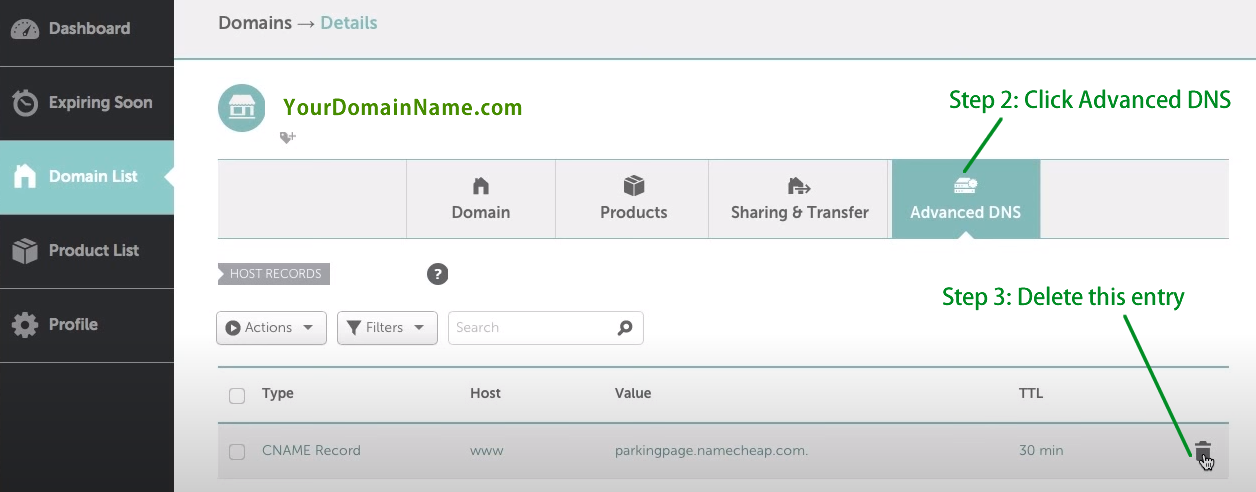
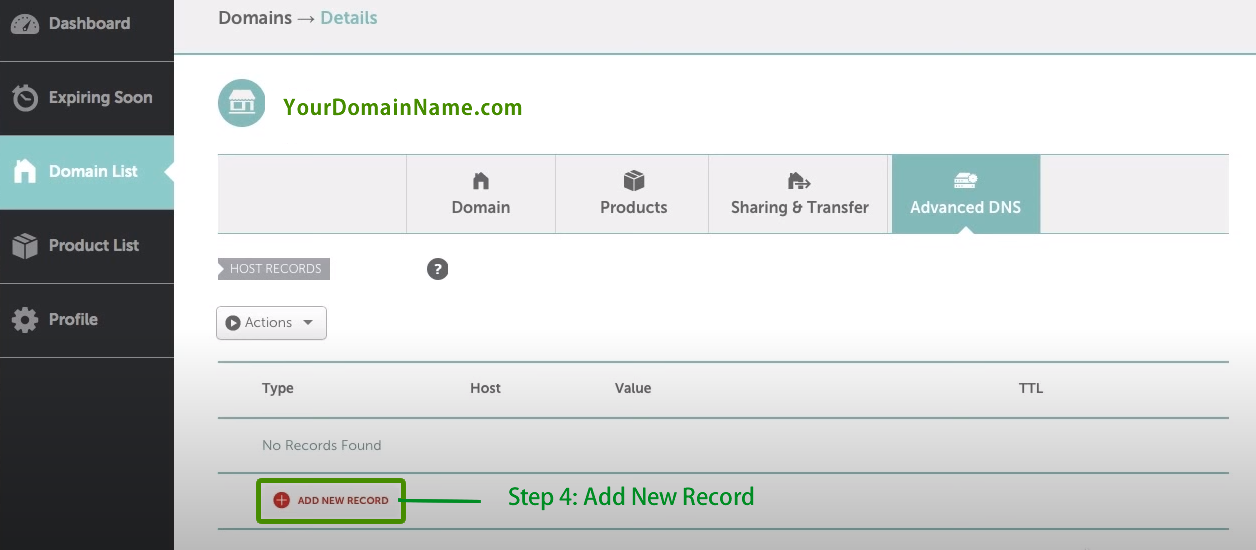
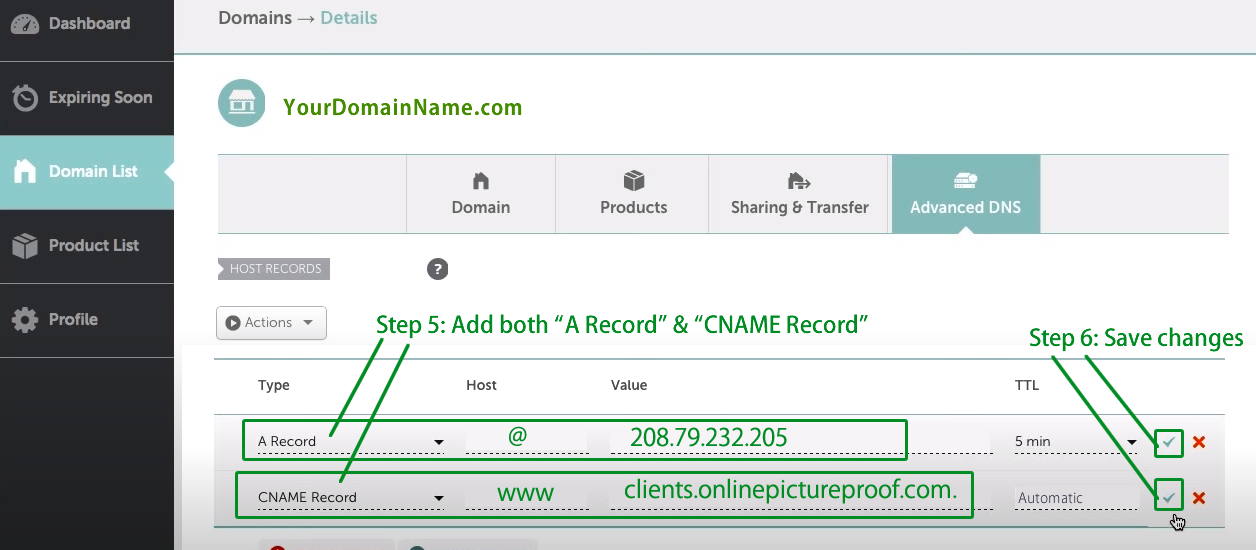
2. Follow the steps as shown below.
5. Logout from NameCheap control panel.
6. log in to your OnlinePictureProof control panel, click on “MY ACCOUNTS” and make sure your domain name is entered in your profile.
7. Your domain name should now start working after 3 - 6 hours. You may need to restart your computer if you continue to see the old page.