In order to create sub albums please follow these steps:
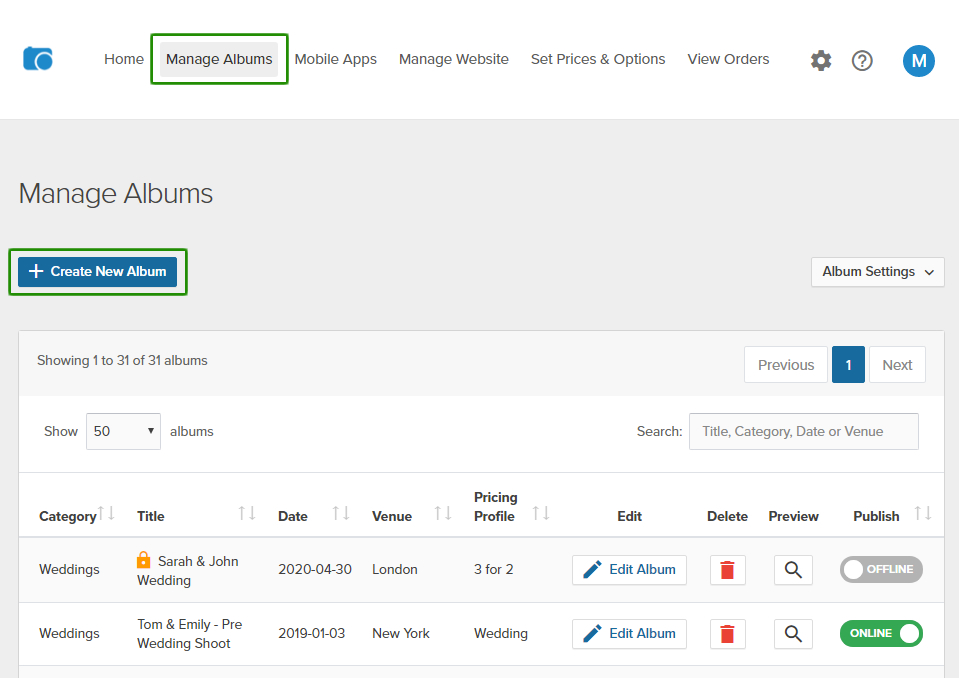
1. Login to your OPP Admin Panel and click on "Manage Albums" from top links.
2. Click on "Create new Album" button.
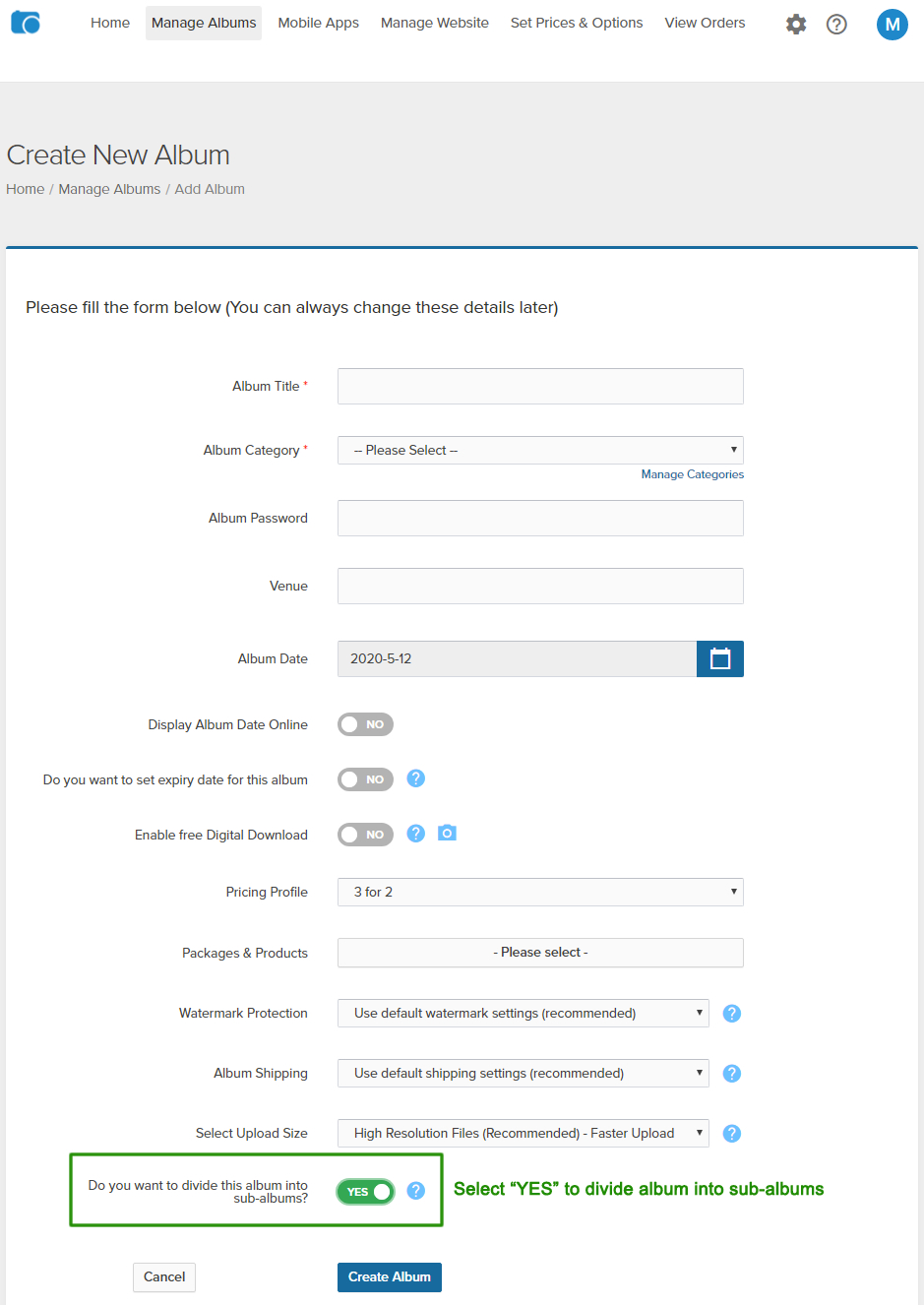
3. At the end of the form please select "YES" (Do you want to divide this album into sub-albums.